Introduction to Computer Hardware
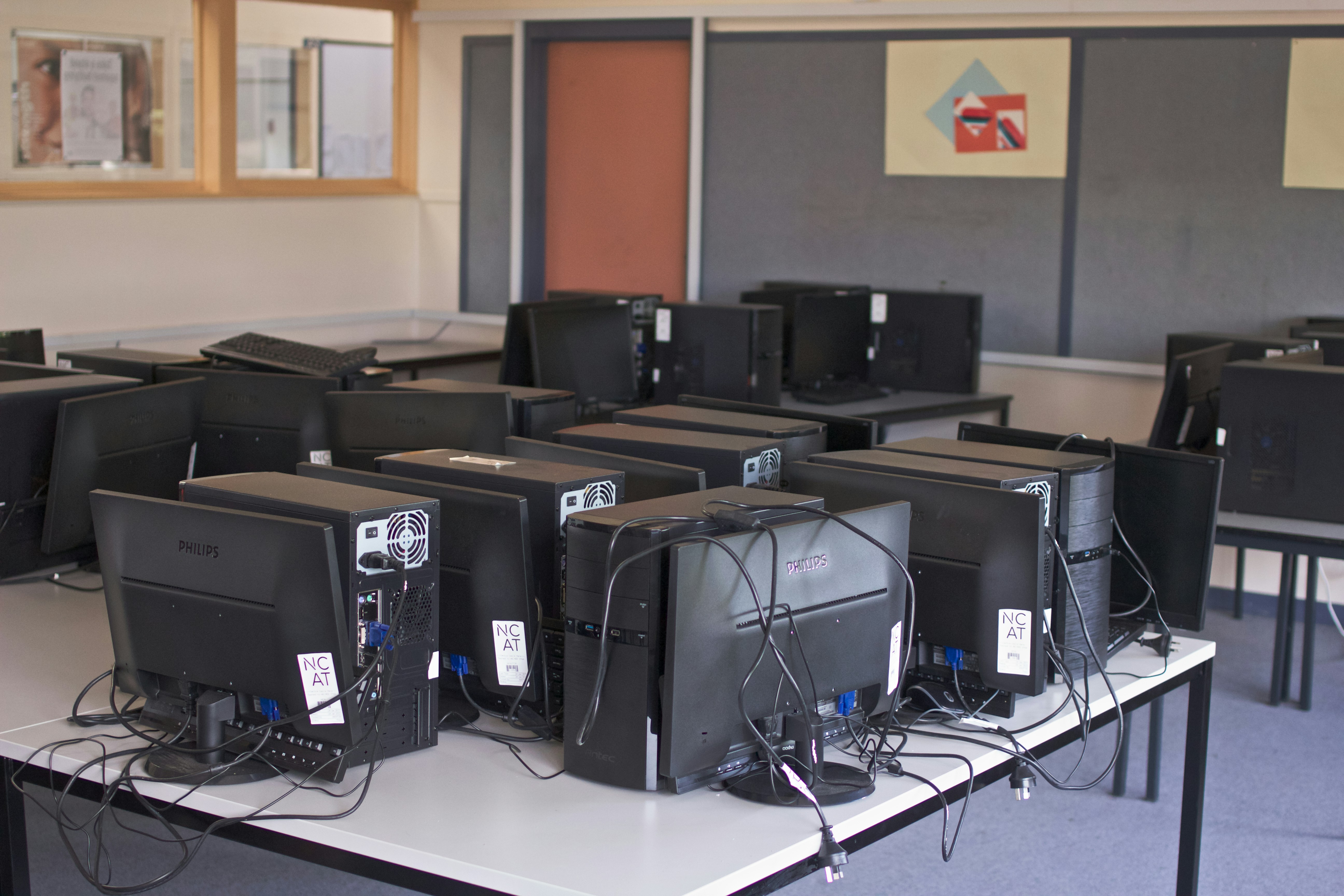
Computer hardware refers to the physical components that constitute a computer system. This includes everything from the central processing unit (CPU), motherboard, memory, and storage devices, to peripherals such as monitors, keyboards, and printers. Understanding the various types of hardware is essential for grasping how computers operate and how they can be utilized effectively in different applications.
The CPU is often regarded as the brain of the computer; it executes instructions and processes data, directly affecting the system’s performance. The motherboard serves as the main circuit board, interconnecting all hardware components and allowing communication between them. Memory, including both volatile types like RAM and non-volatile types like ROM, plays a critical role in data storage and access speed, significantly influencing the efficiency of daily computing tasks.
Beyond these core components, storage devices, such as hard disk drives (HDD) and solid-state drives (SSD), are vital for retaining information. They differ in speed, capacity, and longevity, with SSDs providing faster load times and decreased data access latencies. Additionally, the graphics processing unit (GPU) is crucial for rendering images and video, especially in environments requiring high-performance computing such as gaming or digital design.
Peripheral devices, which include input and output tools, offer ways for users to interact with the computer. Components like a mouse and keyboard allow for user input, while displays and printers serve as output devices, enabling users to receive and perceive information. Each of these hardware components plays a vital role in ensuring a computer system functions properly, illustrating the complexity and interconnectedness of the various parts involved.
The Main Types of Computer Hardware
Computer hardware can be categorized into five primary types: input devices, output devices, processing units, storage devices, and communication devices. Each category plays a significant role in the functionality and performance of computing systems.
Input Devices: These devices allow users to interact with a computer and input data into it. Common examples include keyboards, mice, scanners, and webcams. Each of these devices serves a unique purpose; for instance, keyboards enable users to type and execute commands, while mice facilitate navigational control on graphical user interfaces.
Output Devices: In contrast to input devices, output devices convey information from a computer to the user. Monitors, printers, and speakers are inclusive in this category. A monitor displays visual output, printers provide a physical copy of digital documents, and speakers reproduce audio. This functionality is essential for presentations, gaming, and media consumption.
Processing Units: The central processing unit (CPU) and graphics processing unit (GPU) are vital components of a computer’s processing capabilities. The CPU executes instructions from programs, managing operations through arithmetic and logical calculations. Meanwhile, the GPU enhances the performance of graphics rendering, crucial for video editing, gaming, and complex simulations.
Storage Devices: Data storage devices are responsible for preserving digital information. Hard drives (HDDs), solid-state drives (SSDs), and external storage devices (like USB flash drives) fall into this category. Each type varies in speed, capacity, and durability, affecting how data is accessed and stored, thus influencing overall system performance.
Communication Devices: These devices facilitate connectivity and data exchange between computers and other networks. Modems, routers, and network interface cards (NICs) exemplify this category. They enable internet connectivity, allowing for seamless communication and data transfer across multiple systems.
Central Processing Unit (CPU): The Brain of the Computer
The Central Processing Unit (CPU) is often referred to as the brain of the computer, serving as the primary component responsible for executing instructions and processing data. It plays a fundamental role in determining a computer’s capability to perform tasks efficiently and effectively. The architecture of the CPU is central to its functionality, comprising various units that perform different operations. The most significant components include the arithmetic logic unit (ALU), which carries out arithmetic and logical operations, and the control unit (CU), which directs the operation of the processor and manages instruction execution.
Performance metrics like clock speed and the number of cores significantly influence a CPU’s overall performance. Clock speed, measured in gigahertz (GHz), indicates how many cycles a CPU can execute per second. A higher clock speed usually correlates with better performance; however, other factors also come into play. Cores are another critical consideration—modern CPUs often have multiple cores, which allow them to perform multiple tasks simultaneously. A dual-core processor can handle two tasks at once, while a quad-core processor can handle four, enhancing multitasking capabilities and overall speed.
The design and innovation in CPU technology continue to evolve, leading to more powerful processors exhibiting greater efficiency and faster processing times. This evolution ensures that computers can manage increasingly complex tasks and applications, from everyday computing activities to advanced scientific simulations. Furthermore, advances in CPU architecture facilitate improvements in energy consumption and thermal management, making modern CPUs not only faster but also more environmentally efficient.
Overall, the Central Processing Unit is vital for the functioning of computers, playing an essential role in processing information and executing instructions, which ultimately defines how effectively a computer operates.
Random Access Memory (RAM) and Its Importance
Random Access Memory, commonly abbreviated as RAM, is a crucial component in any computer system, serving a fundamental role in its overall performance. RAM functions as the temporary storage space where the operating system, application programs, and data in current use are kept so that they can be quickly reached by the computer’s processor. Unlike hard drives and SSDs, which store data persistently, RAM is volatile memory, meaning that it loses its contents when the power is turned off.
The amount of RAM in a computer significantly impacts its ability to manage multiple tasks simultaneously. More RAM allows a system to run more applications at the same time without slowing down, as it can hold more data for quick access. This is particularly essential for memory-intensive tasks, such as video editing, gaming, and running virtual machines. For instance, encountering frequent lag or slowdowns while multitasking could indicate that the system is running low on available RAM, necessitating an upgrade.
When considering RAM, one must also evaluate the various types available. DDR4 (Double Data Rate 4) has been the standard for several years, providing a good balance of performance and power efficiency. Conversely, DDR5 (Double Data Rate 5), the latest iteration, significantly enhances bandwidth capabilities and reduces power consumption, making it an ideal choice for high-end gaming systems and workstations. While DDR5 offers superior performance, its adoption requires compatible motherboards and is often more expensive than DDR4.
Choosing the right type and size of RAM is vital for ensuring optimal performance based on user needs. Whether upgrading an existing system or selecting parts for a new build, careful consideration of RAM specifications will pay dividends in overall system responsiveness and capability.
Storage Devices: HDD vs. SSD
Storage devices are essential components of computer hardware, serving as the primary means for data storage and retrieval. The two predominant types of storage devices are Hard Disk Drives (HDD) and Solid State Drives (SSD). Each technology uses different mechanisms to store data, resulting in distinct advantages and disadvantages impacting their overall performance and functionality.
Hard Disk Drives have been the traditional choice for data storage since the 1950s. They consist of spinning magnetic disks and read/write heads that move across the disk surfaces. This mechanical design gives HDDs the advantage of a lower cost per gigabyte, making them ideal for budget-conscious users requiring vast amounts of storage. However, their reliance on moving parts makes them susceptible to physical damage and results in slower read and write speeds compared to SSDs.
In contrast, Solid State Drives utilize flash memory to store data. This technology offers several benefits, foremost among them being speed. SSDs provide significantly faster data access times, reducing boot and load times, which enhances overall system performance. Furthermore, SSDs are more durable, as they lack the mechanical components that characterize HDDs, allowing them to withstand shocks and vibrations more effectively.
However, SSDs often come with a higher price point, particularly when it comes to larger capacities. Despite the cost, their performance advantages have led to their increasing adoption in various applications, from consumer laptops to enterprise servers. Additionally, SSDs consume less power compared to HDDs, contributing to improved energy efficiency.
In conclusion, choosing between HDDs and SSDs depends largely on individual needs and preferences. While HDDs may offer more storage for less cost, SSDs provide enhanced speed and reliability. Understanding these differences can aid consumers in making informed decisions about their computer hardware requirements.
Graphics Processing Unit (GPU): Rendering the Visuals
The Graphics Processing Unit (GPU) is an essential component of modern computing, primarily responsible for rendering images, videos, and animations. Its significance extends across various fields, particularly in gaming and professional applications, where high-quality visual output is crucial. Unlike the Central Processing Unit (CPU), which handles general-purpose tasks, the GPU is specialized for parallel processing, allowing it to execute numerous calculations simultaneously. This capability makes the GPU indispensable for rendering complex graphics efficiently.
In gaming, the GPU translates game assets into stunning visuals, enabling realistic graphics and fluid motion. The advancement of GPU technology has allowed for increasingly immersive experiences, supporting high frame rates and resolutions. Recent developments, such as real-time ray tracing, enhance light and shadow effects, adding layers of realism that were previously unattainable. As gamers demand more from their visuals, the GPU continues to evolve, providing the necessary horsepower for demanding titles.
Moreover, GPUs are finding applications beyond gaming. In professional contexts such as film production, architecture, and simulation, the need for efficient rendering processes is paramount. Many artists and designers rely on the computational power of the GPU to handle intensive tasks like 3D modeling and rendering, often yielding results in a fraction of the time it would take a traditional CPU. Furthermore, the rise of GPU computing has sparked interest in harnessing this processing power for machine learning and artificial intelligence. This growing trend underlines the versatility of GPUs, as they seamlessly support diverse workloads across various sectors.
In conclusion, the Graphics Processing Unit stands as a cornerstone of graphic rendering, not only for entertainment but also across numerous professional industries. Its role is pivotal, shaping how visual content is created and experienced in today’s digital landscape.
Motherboard: The Heart of the Computer
The motherboard plays a pivotal role in the functionality of a computer system, serving as the central hub where various hardware components connect and communicate. It acts as the backbone that binds together the CPU, RAM, GPU, storage devices, and numerous other components, enabling them to work in unison. This integration facilitates efficient processing and data transfer, making the motherboard fundamental to overall system performance.
At the core of the motherboard’s architecture is the chipset, a critical component that manages data flow between the processor and other peripherals. The chipset can be thought of as the “traffic director” of the motherboard, coordinating the exchange of information across different parts of the system. Different chipsets offer varying levels of support for components, such as the number of USB ports, RAM speed compatibility, and advanced features like overclocking. Consequently, choosing the right motherboard, tailored to specific needs and hardware requirements, is essential for optimal performance.
The motherboard’s form factor also influences its compatibility with cases and other components. Common sizes, such as ATX, Micro-ATX, and Mini-ITX, dictate how many ports and slots are available for expansion, affecting everything from gaming performance to multitasking capabilities. Users aiming to build their own systems should pay close attention to the motherboard’s specifications, as they significantly impact upgrade paths and future usability.
Lastly, the importance of a well-designed motherboard cannot be overstated. Poor quality can lead to system instability, malfunctions, and bottlenecks that degrade performance. Therefore, when assembling or upgrading a computer system, selecting a reliable motherboard with a robust chipset and thoughtful architecture is paramount for ensuring longevity and efficiency.
Power Supply Unit (PSU) and System Stability
The Power Supply Unit (PSU) is a critical component of a computer system, serving as the primary source of electrical power that enables all hardware components to function effectively. Its main role is to convert the alternating current (AC) from the wall outlet into the direct current (DC) that computer components require. Each part of a computer, from the motherboard to the graphics card, relies on the PSU to provide stable and reliable power.
When selecting a PSU, it is essential to consider its wattage capacity. The total wattage required by a system can vary based on the number of components and their power demands. A PSU that does not supply adequate wattage may lead to system instability, resulting in unexpected shutdowns or hardware failure. It is advisable to choose a PSU with a wattage rating that not only meets the current needs but also allows for future upgrades or additional components.
Efficiency ratings, such as those provided by the 80 PLUS certification, are also paramount when choosing a Power Supply Unit. Higher efficiency ratings indicate that the PSU converts a greater percentage of input power into usable power while minimizing waste heat. Efficient PSUs tend to be more reliable and can result in lower energy bills over time. Furthermore, a PSU with a high efficiency rating often produces less heat, contributing to overall system stability.
Compatibility is another crucial aspect to consider. The PSU should have the necessary connectors to support all components, including the motherboard, graphics card, and any additional peripherals. By ensuring that the PSU is compatible with the specific requirements of each component, users can enhance the performance and longevity of their system. Thus, choosing the right PSU directly influences the overall stability and functionality of the computer setup.
Choosing the Right Computer Hardware for Your Needs
When selecting computer hardware, it is essential to align your choices with your specific usage requirements. Whether you are a gamer seeking high-performance graphics, a professional needing reliability for demanding applications, or a general user looking for basic functionality, identifying your primary needs will guide your selections effectively.
First and foremost, consider your intended use. For gaming enthusiasts, the graphics card is paramount; a powerful GPU can significantly enhance the gaming experience, ensuring smooth rendering and high frame rates. On the other hand, professionals dealing with graphic design or video editing should prioritize both a robust CPU and sufficient RAM to handle intensive workloads. General users may find that a mid-range device will suffice, focusing on a balanced CPU and RAM for everyday tasks.
Compatibility should also be at the forefront of your decision-making process. Ensure that the hardware components, such as the motherboard, power supply, and cooling system, can support your desired specifications. This can prevent future compatibility issues that may arise should you wish to upgrade components down the line.
Pricing is another critical factor. While advanced hardware can boost performance, it is vital to strike a balance between performance and budget. Conducting thorough research will help you identify components that offer the best value for your investment. Consider looking at user reviews and benchmark comparisons to ascertain which hardware provides optimal performance for the price.
In summary, selecting the right computer hardware involves understanding your needs, ensuring compatibility, and balancing performance with your budget. By carefully assessing these factors, you can build or purchase a system tailored to your requirements, achieving an efficient and effective computing experience.